DatasetCollection#
- DatasetCollection class is made to operate on multiple single files.
- DatasetCollection represents a stack of rasters that have the same dimensions (rows & columns).
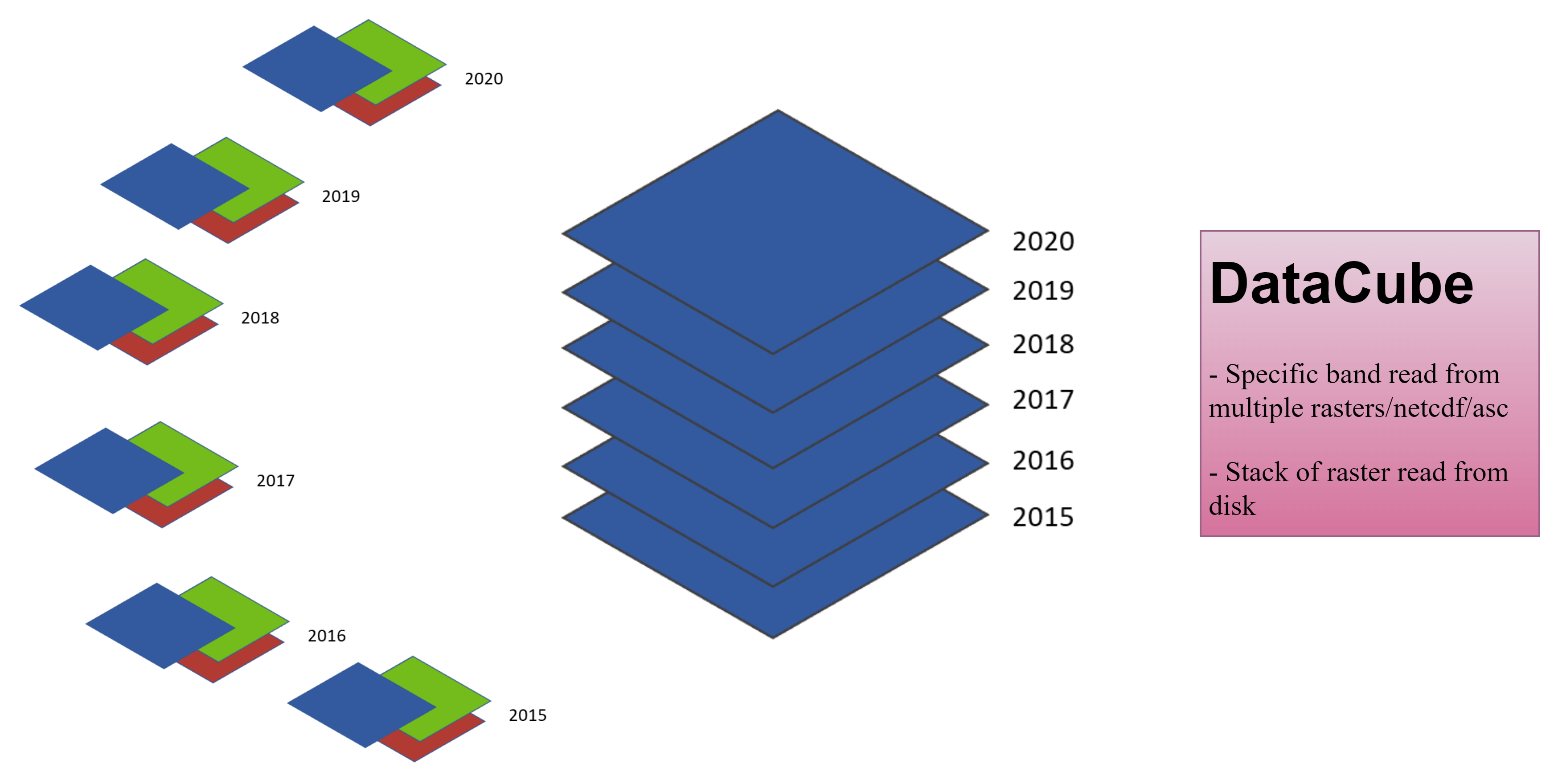
The DatasetCollection object has attributes and methods to help working with multiple raster files, or to repeat the same operation on multiple rasters.
- To import the DatasetCollection class:
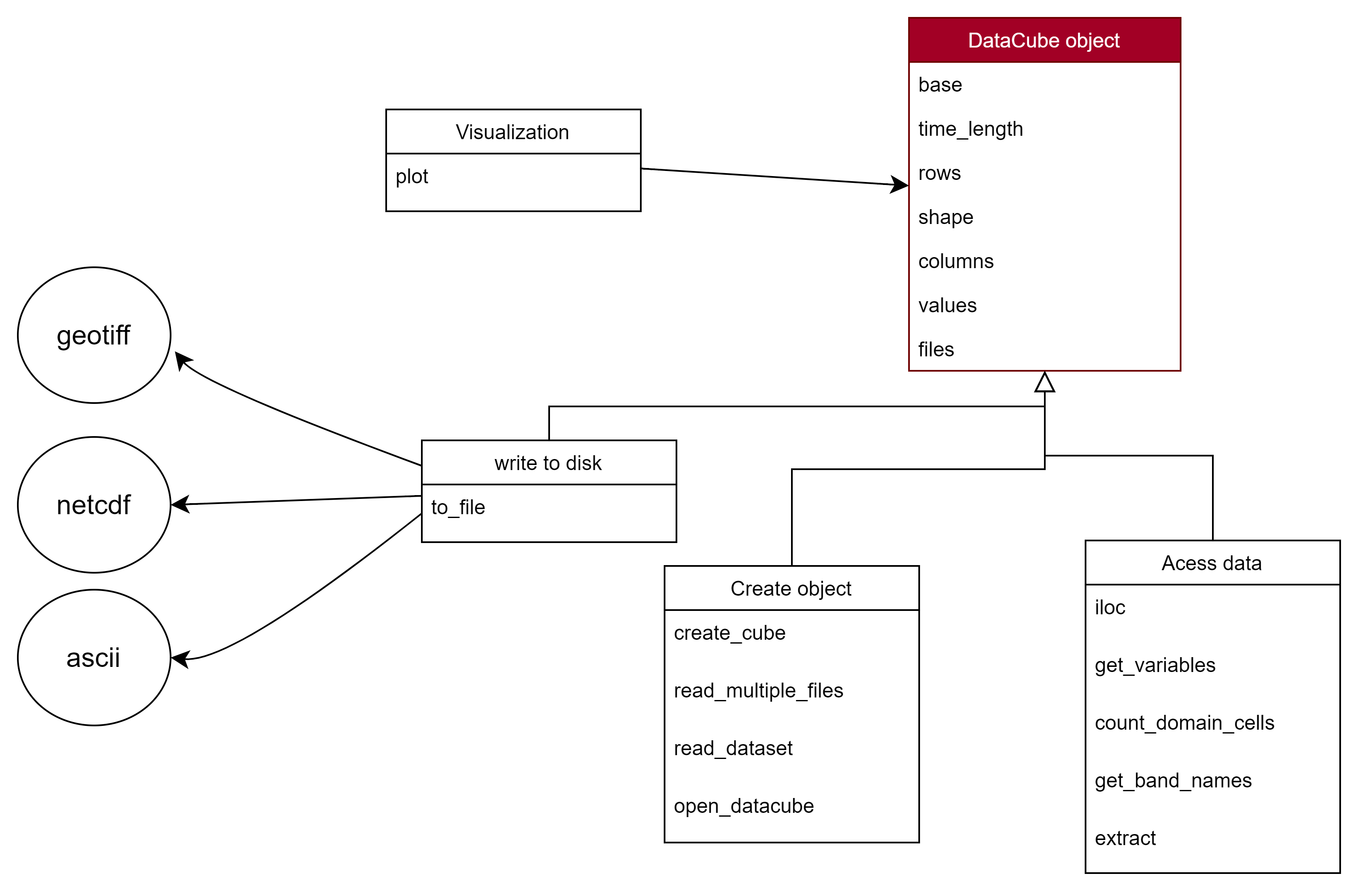
- The detailed module attributes and methods are summarized in the following figure.
Attributes#
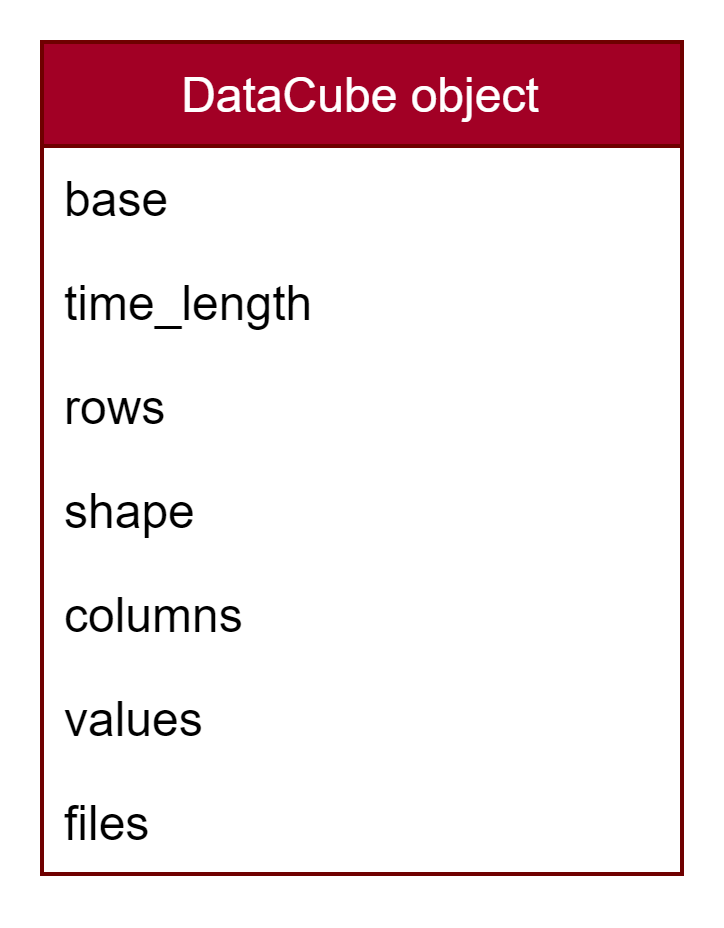
The DatasetCollection object has the following attributes:
- base: Dataset object
- columns: number of columns in the dataset
- rows: number of rows in the dataset
- time_length: number of files (each file represents a timestamp)
- shape: (time_length, rows, columns)
- files: files that have been read
Methods#
from_files#
from_filesreads a folder of rasters (globbed) or an explicit list of file paths and stacks them into aDatasetCollection— a 3D cube with the 2D dimensions of the first raster and a length equal to the number of files.- All rasters must share the same dimensions (rows & columns).
- To read them in date order, pass
date_format(and, if needed,date_regex): a date is parsed out of each file name, the timesteps are sorted by it, and those dates become the collection'stimeaxis.start/end(asdatetime) then keep only a date range. - Only the first file is opened eagerly; the rest open lazily on demand.
Parameters#
files: str | Path | Sequence— a folder (globbed withglob) or a list of raster paths. A single file path is read as a one-timestep collection.glob: str—fnmatchpattern selecting the rasters whenfilesis a folder; default"*.tif"(e.g."*.tif*","S2_*.tif").date_format: str | None—strptimeformat of the date in the file names, e.g."%Y.%m.%d". When given, the timesteps are sorted by date and it becomes the time axis. DefaultNone(no ordering, no time axis).date_regex: str— where the date sits in each name; defaultr"\d{4}.\d{2}.\d{2}".start,end: datetime | None— inclusive date-range filter (needsdate_format).meta,gdal_env,validate— pre-computed metadata, a signer's GDAL config, and a header-alignment check; see the API reference.
Read a folder (unordered)#
If you only need the rasters as a stack (e.g. for a mathematical reduction), order does not matter:
>>> from pyramids.dataset import DatasetCollection
>>> rasters_folder_path = "examples/data/geotiff/raster-folder"
>>> dc = DatasetCollection.from_files(rasters_folder_path)
>>> print(dc)
DatasetCollection
  Files:       6
  Time length: 6
  Dimensions:  125x93 (rows x cols)
  EPSG:        4647
  Cell size:   5000.0
  NoData:      2147483648.0
Read a folder ordered by a date in the file names#
Each raster carries a date in its name:
>>> from datetime import datetime
>>> dc = DatasetCollection.from_files(
...     "examples/data/geotiff/raster-folder", date_format="%Y.%m.%d"
... )
>>> dc.time[0]
datetime.datetime(1979, 1, 1, 0, 0)
Keep only a date range with start / end:
>>> dc = DatasetCollection.from_files(
...     "examples/data/geotiff/raster-folder",
...     date_format="%Y.%m.%d",
...     start=datetime(1979, 1, 2),
...     end=datetime(1979, 1, 5),
... )
Read an explicit list of files#
Glob and sort the list yourself, then pass it in (order is preserved):
>>> from pathlib import Path
>>> files = sorted(Path("examples/data/geotiff/raster-folder").glob("*.tif"))
>>> dc = DatasetCollection.from_files(files)
Accessing the values#
The per-timestep arrays materialise on demand via the values property (a (time, rows, cols) cube):
>>> dc = DatasetCollection.from_files(
...     "examples/data/geotiff/raster-folder", date_format="%Y.%m.%d"
... )
>>> dc.values.shape
(6, 125, 93)
read_multiple_filesis deprecated — usefrom_files.open_multi_datasetis a no-op kept for backward compatibility; per-timestep handles open lazily on first access.